
Water metering
Prepaid water,
unit by unit.
Smart prepaid water meters in every unit. Residents buy tokens on their phones; you see every purchase against the right meter.
Water token issued
KES 300 · example
Entered on the keypad
In-home unit
What you get
Water metering, done properly.
Prepaid water vending
Residents buy water tokens with M-Pesa or card using the meter number.
In-home keypad units
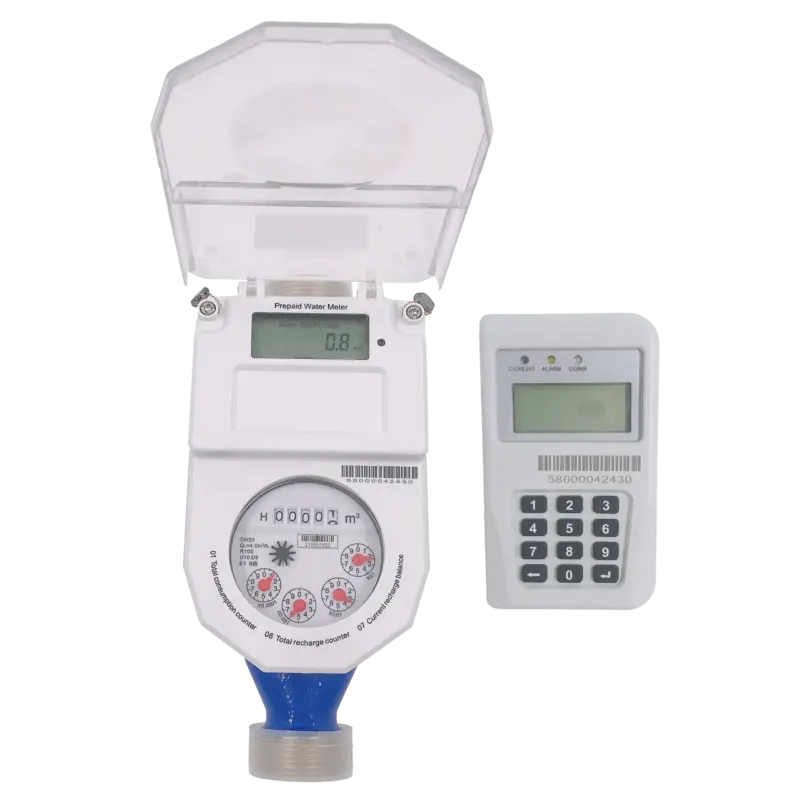
STS smart water meters with a keypad unit where the token is entered.
Linked to every unit
Each meter belongs to a building and unit, so payments land in the right place.
Meter history
Every token bought for every meter, with amounts and dates.
Scan-to-pay stickers
A printed QR sticker on each meter opens the purchase with the meter filled in.
Consumption reporting
Usage per unit from supported water meters.
Remote valve control
Open and close supply on supported water devices.
Leak and abnormal-use alerts
Flag unusual consumption early.
Under the hood
How a token reaches the meter.
Every purchase follows the same rule: the payment is confirmed first, then exactly one token is issued for it.
Water
01Payment verified
The same check: no confirmed payment, no token.
02Token issued
A prepaid water token is issued for the amount paid.
03Entered on the keypad
The resident types the token on the meter's in-home keypad unit.
04Water credited
The meter adds the credit and supply continues.
Getting set up
From site visit to first token.
Installation is recorded as it happens, so every meter in your dashboard is one a technician actually fitted and photographed.
01Site visit
We look at the building, the units and the meters you have, and confirm what's compatible.
02Installation link
Your technician gets an install link for the building and finds each unit as they type.
03Every meter on record
Each meter is photographed in place and linked to its unit, so nothing is guessed later.
04Sign-off
The technician marks the job complete and your caretaker signs it off.
05Stickers on
Print scan-to-pay QR stickers for every meter, sized to sit right on the casing.
06Live
Residents buy their first tokens, and every payment appears in your dashboard.
Install link
Building A · Floor 2
Technician: on site
A-201 · Electricity
Photo saved
A-201 · Water
Photo saved
A-202 · Electricity
Photo saved
A-202 · Water
Add a photo
Caretaker sign-off
Waiting for the last meter
Technician install link · example
Questions
Questions about water.
How does a resident load a water token?
They buy it on their phone, then type the token on the meter's in-home keypad unit. The meter adds the credit straight away.
Can you control water supply remotely?
Not yet. Remote valve control on supported water devices is on our roadmap. Remote control works today on supported electricity meters.
Do you replace existing water meters?
Only where they aren't a supported model. We check what you have during the site visit and tell you what, if anything, needs replacing.

Let's build it together
Build smarter utility infrastructure.
Whether you own one building, manage a portfolio or run a utility network, see how OnePlumbing connects your meters, residents and payments.