
Solutions
Electricity and water.
Metered, prepaid, connected.
Smart prepaid meters for both utilities, installed and linked to every unit, so residents buy tokens on their phones and you see every one.
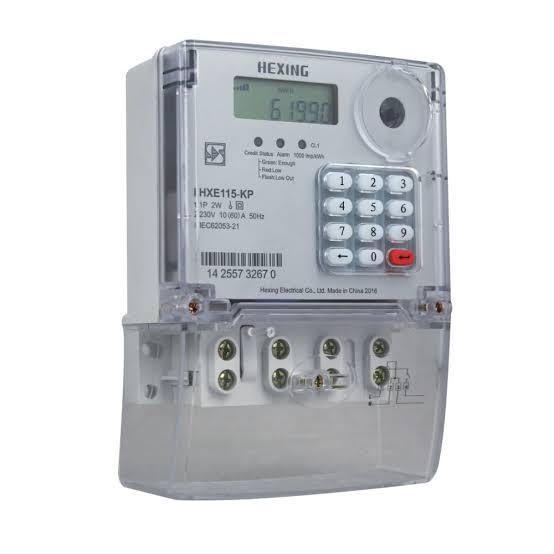
Prepaid electricity
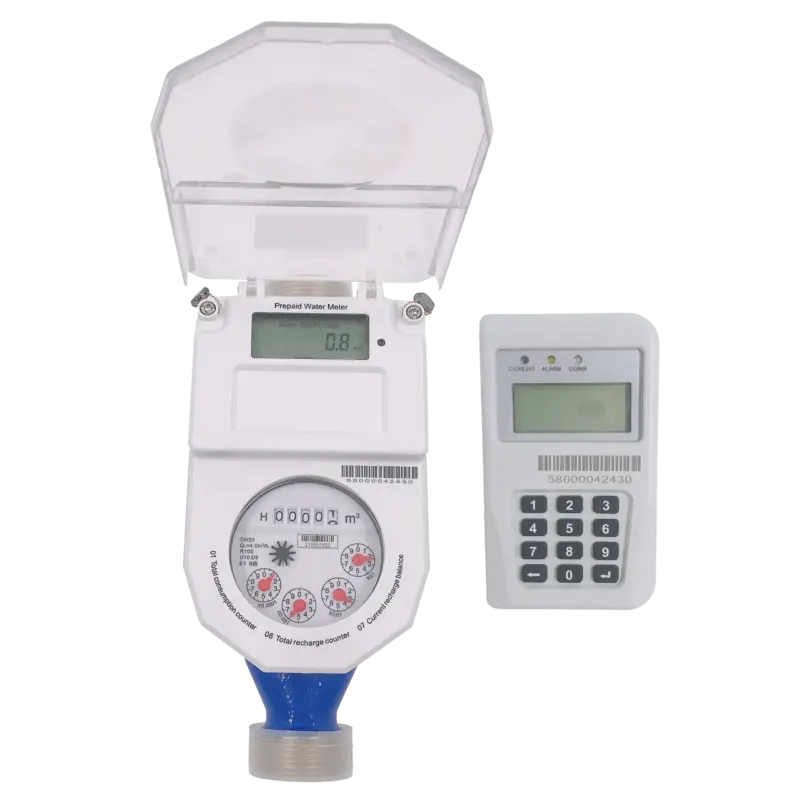
Prepaid water
One dashboard
Both utilities, every unit
Side by side
What each utility can do today.
Electricity and water meters work differently, so we're precise about what's live for each. Anything marked roadmap isn't available yet.
| Capability | Electricity | Water |
|---|---|---|
| Prepaid token vending | ||
| Buy with a meter number or QR sticker, no account | ||
| Token delivered to the meter | Sent straight to supported meters | Entered on the keypad unit |
| Remote disconnect and reconnect | On supported meters | Roadmap |
| Readings on demand | Consumption, balance, voltage | Roadmap |
| Meter status and full transaction history | ||
| Each meter linked to its building and unit | ||
| Printable scan-to-pay QR stickers |
Availability depends on the installed meter model and its connectivity.
Under the hood
How a token reaches the meter.
Every purchase follows the same rule: the payment is confirmed first, then exactly one token is issued for it.
Electricity
01Payment verified
We confirm the payment with our payment partner before anything is issued.
02Token generated
The meter's vending system creates a token for the exact amount paid.
03Sent to the meter
On supported meters the token travels over the meter's network connection.
04Units credited
The meter tops up on its own. Nobody types anything.
Water
01Payment verified
The same check: no confirmed payment, no token.
02Token issued
A prepaid water token is issued for the amount paid.
03Entered on the keypad
The resident types the token on the meter's in-home keypad unit.
04Water credited
The meter adds the credit and supply continues.
Remote meter management
Precise control, with a record of every action.
Check a meter's status, read it remotely and change its supply without sending someone to site, on meters that support it.

Scroll down to switch the floor off, up to switch it back on. This is a demo; it doesn't control a real meter.
Meter 0000 0000 000
Office floor 2 · Electricity
Supply
Connected
236 V
Activity
- Supply connected · Admin · 08:14
Connectivity and status
See whether each meter is online and when it last reported.
Remote supply control
Disconnect or reconnect electricity on supported meters, with a confirmation step first.
Readings on demand
Pull consumption, balance and voltage from supported electricity meters.
Every action logged
Each command is recorded with who sent it and when.
Remote features depend on the installed meter, its connectivity and your account permissions. OnePlumbing only controls meters registered and integrated on the platform. Remote water valve control is on our roadmap for supported devices.
Getting set up
From site visit to first token.
Installation is recorded as it happens, so every meter in your dashboard is one a technician actually fitted and photographed.
01Site visit
We look at the building, the units and the meters you have, and confirm what's compatible.
02Installation link
Your technician gets an install link for the building and finds each unit as they type.
03Every meter on record
Each meter is photographed in place and linked to its unit, so nothing is guessed later.
04Sign-off
The technician marks the job complete and your caretaker signs it off.
05Stickers on
Print scan-to-pay QR stickers for every meter, sized to sit right on the casing.
06Live
Residents buy their first tokens, and every payment appears in your dashboard.
Install link
Building A · Floor 2
Technician: on site
A-201 · Electricity
Photo saved
A-201 · Water
Photo saved
A-202 · Electricity
Photo saved
A-202 · Water
Add a photo
Caretaker sign-off
Waiting for the last meter
Technician install link · example
Questions
Questions about meters.
Which meters work with the platform?
Supported smart prepaid electricity and water meters from the meter makers we integrate with. We confirm compatibility for your building during the site visit before anything is installed.
Can I keep the meters I already have?
If they're a supported model, yes: we register them and link each one to its unit. If not, we'll tell you what would need replacing.
What if an electricity meter is offline when someone buys a token?
The token is still shown to the buyer, so it can be typed on the meter's keypad. The meter's status shows as offline in your dashboard so you can follow up.
Is remote water valve control available?
Not yet. Remote disconnection and reconnection works on supported electricity meters today; valve control for supported water devices is on our roadmap.

Let's build it together
Build smarter utility infrastructure.
Whether you own one building, manage a portfolio or run a utility network, see how OnePlumbing connects your meters, residents and payments.